Overview of Microformat Visual Aid
Why?
- Microformats add a lot of value by adding more granularity to the structure and semantics of web markup (HTML), so that information can be easily repurposed. From microformats you can add semantic structure and semantics and easily get a vcard, vcal, feed, etc. out of the information. It also permits easy scraping and extraction of information from your site.
- Another purpose of this is to show where microformats may be applied.
- A visual guide can show the types of information on a page.
- From understanding the value and what types of information and where it can make sense, then can show how to apply microfomats in the HTML markup.
Types of Information for Microformats
There are many types of information handled by microformats and their semantic structures. Three quick examples are:
- Information about you
- h-card: This structures information and adds semantics related to you and information you would like to share and have connected to you. This can be your links, name, nick-name, photo, etc.
- Blog enteries
- h-entry: This allows you to add relevant information about your blog entry, which can be used to add semantics.
- Blog feed
- h-feed: This provides the ability to wrap your posts and structure them to bundle as a feed for a category or tagged post page that can augment or provide more granular alternatives to your RSS feed.
h-card Example Visualized
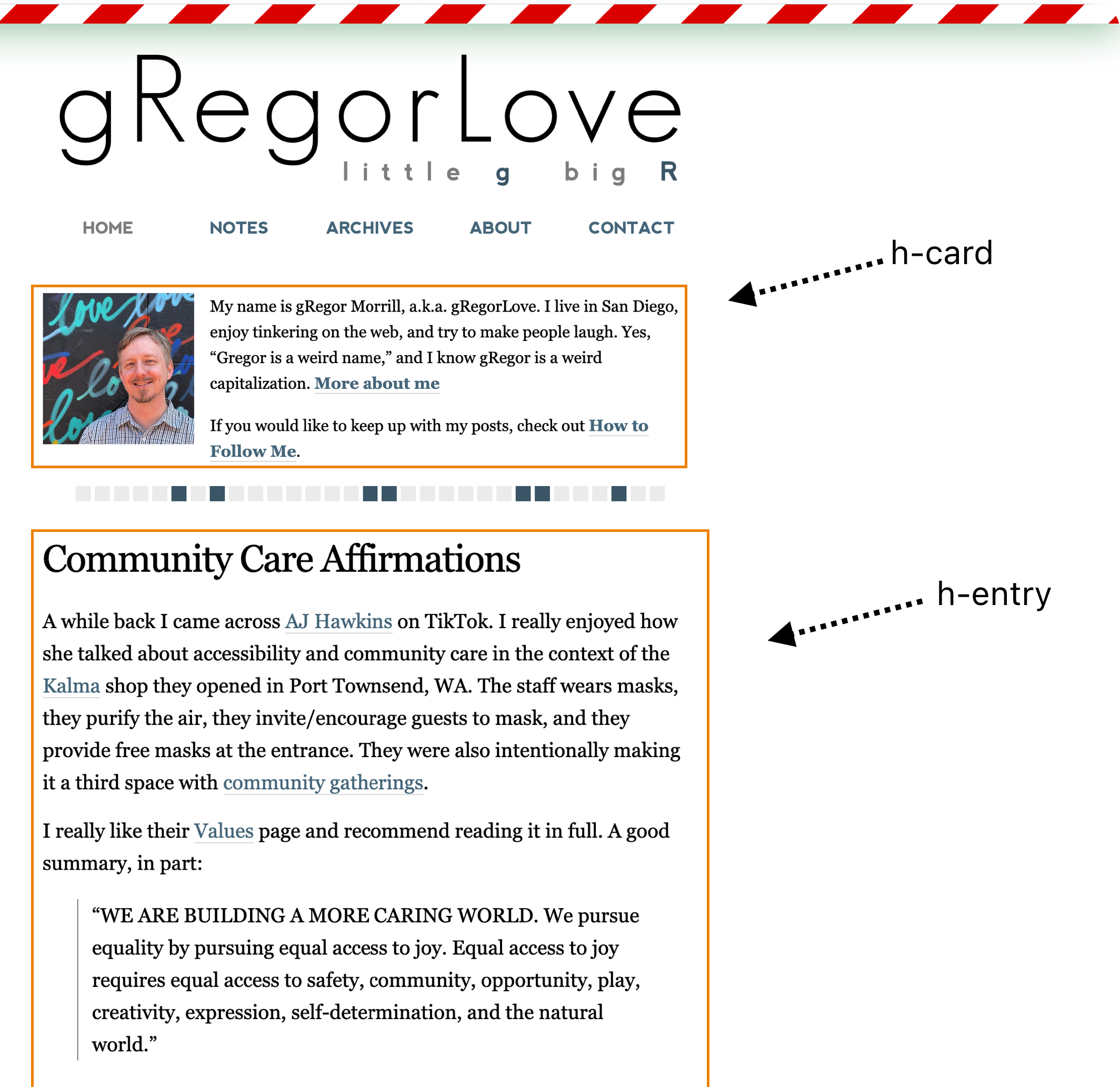
This is gRegorLove's site, which has microformats added. The h-card is wrapping the top box with the photo and brief "about" information.
h-card Annotated
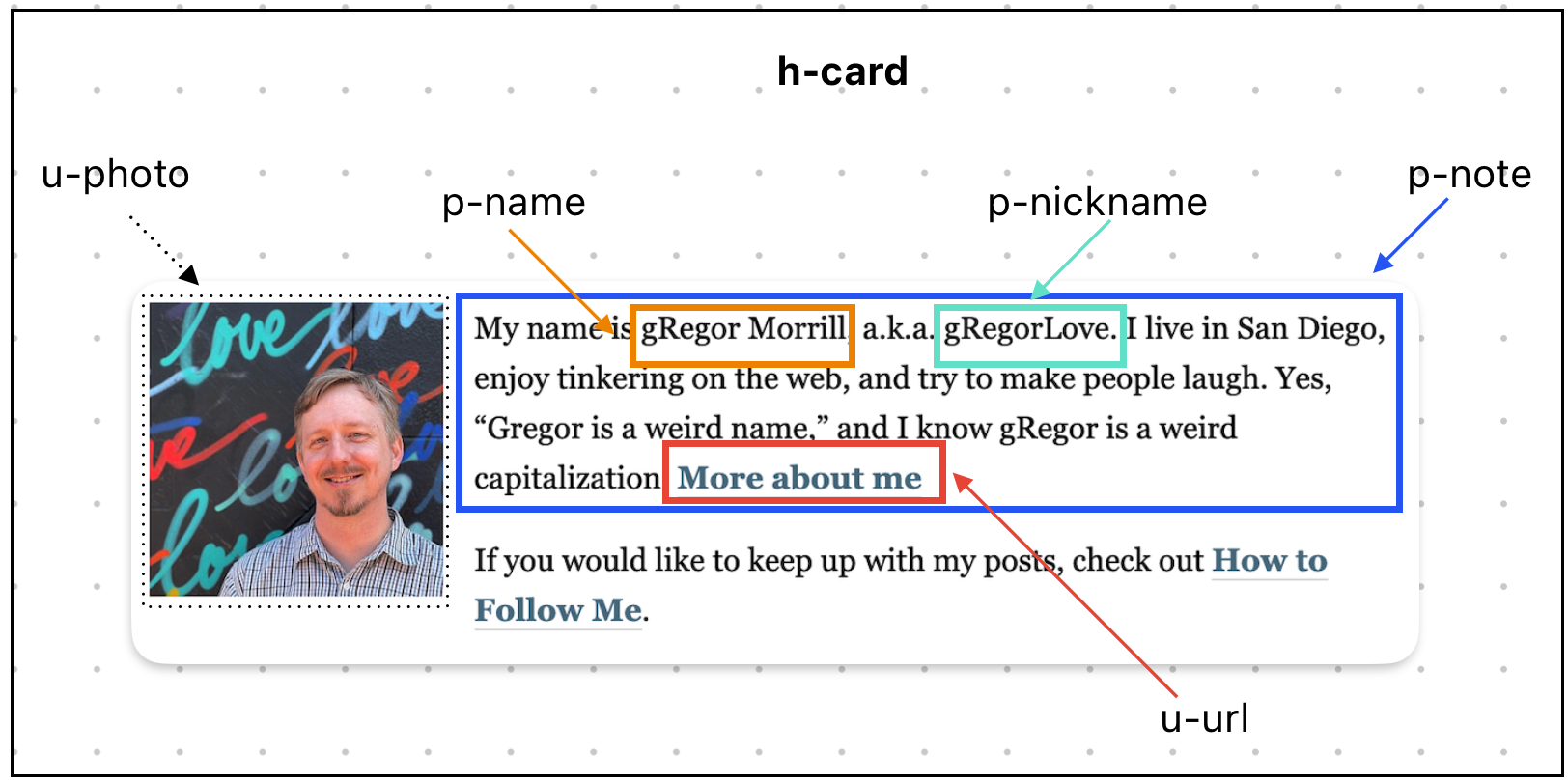
The following shows the "h-card" and its sub-components: A u-photo, and a p-note class in div wraps element classes p-name, p-nickname, u-url.
h-card in the mark-up code
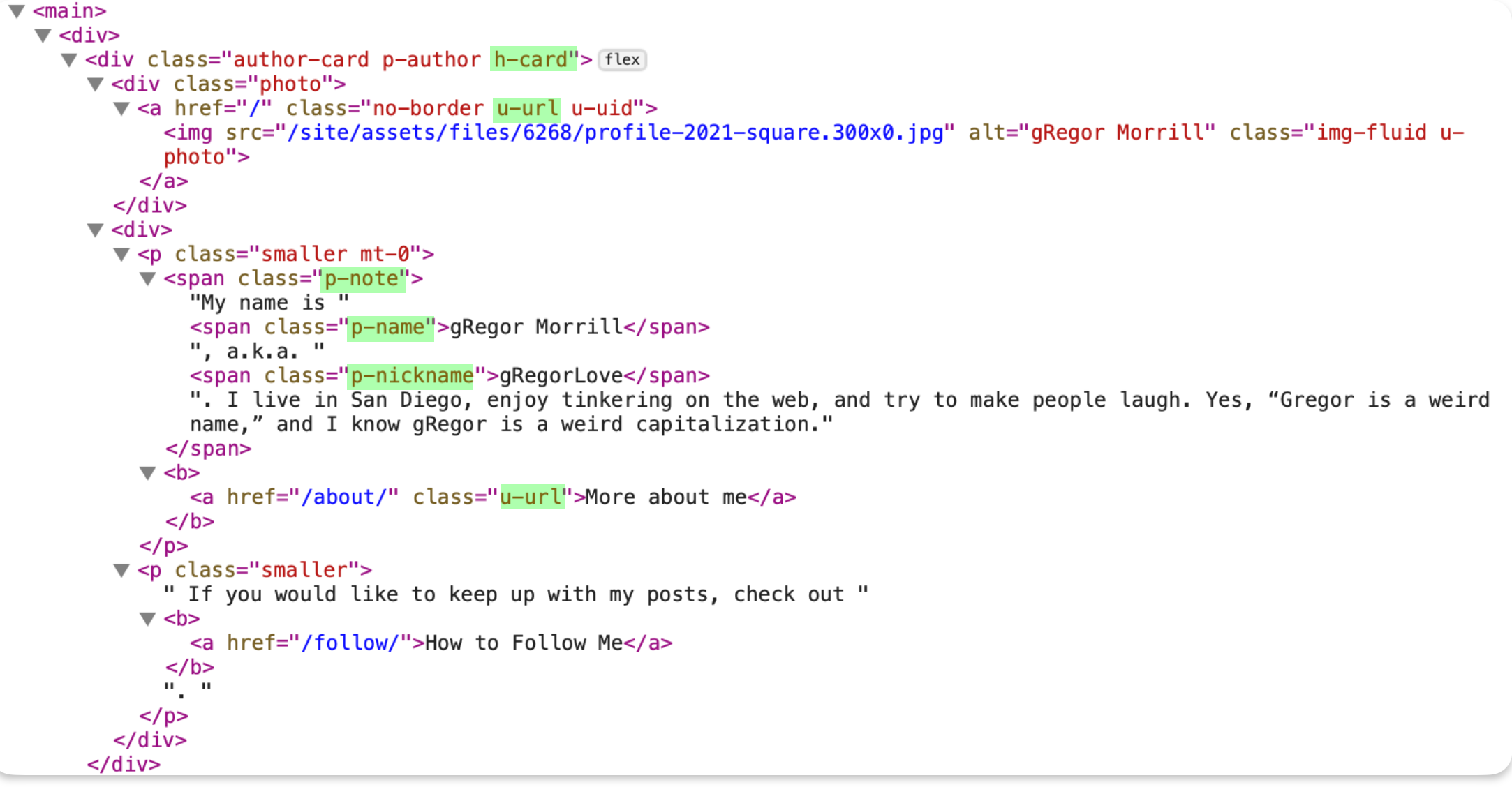
Visually Showing the Mark-up and Highlighting the Microformat classes
This takes the same mark-up and highlights it so the microformats are easier to see.
Prepping for Collaboration
I'm sorting out setting up for collaboration for this. It is currently in GitHub in a private repo, but can add others to that or may open it up if others want to collaborate on this.
Next Step
This initial step is for h-card and one of the core components needs to get added to the visual explainer, "u-url".
Many of my explainers run horizontally and I'm thinking of a wider format than the fixed width environment of my Lab templates. Another option that I've used quite a bit in the past are using PDFs.
blah blah lorem